Beware of Financial Criminals Draining Your M-Banking Account • OBROLANBISNIS.com — The Financial Services Authority (OJK) reported that total losses due to financial fraud had reached IDR 2.1 trillion as of April 30, 2025.
The data was collected through the Indonesia Anti-Scam Center (IASC).
OJK received 105,202 reports of financial fraud through the IASC which began operating in November 2024.
Of the total reports, 172,624 accounts have been reported, and 42,504 of them have been blocked.
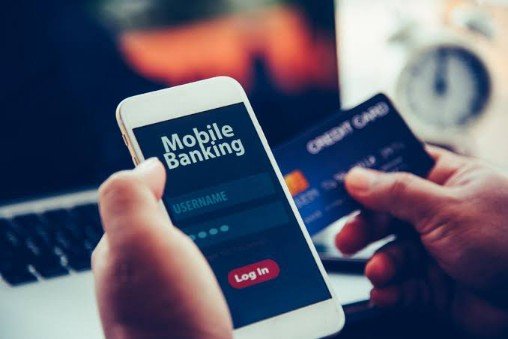
With the increase in financial fraud through digital channels with mobile banking (m-banking), the public needs to be more vigilant.
These financial criminals usually use various methods to tap cellphones in order to steal important information stored in them, including financial data that can be exploited and drain accounts.
As for cellphone tapping, it can be easily identified. For more details, here are 5 possible signs that your phone has been tapped, quoted from Techlicious:
1. Battery Problems
One sign that your phone has been tapped is that the battery suddenly has problems. You need to be suspicious if the battery suddenly runs out quickly.
In fact, the battery life of your phone will definitely decrease according to usage. However, malware or spy apps that infiltrate can also use a lot of resources with the aim of sending information to criminal servers.

2. Performance Becomes Slow
Another possibility is that the smartphone’s performance slows down and applications are difficult to access. A number of applications will also be found running even though they have been closed or the phone has restarted repeatedly.
If your phone is tapped, the malware that enters the device will burden the phone’s resources. One possibility is that it will clash with other applications.
3. High Data Usage
In addition to the battery, hackers will also drain their victims’ data. They only realize it when the bill or internet data usage skyrockets.
This comes from malware or spy apps that continue to run. All of these systems will continuously send information back to the perpetrator’s server.
4. Strange Phone Calls or SMS
You should also be alert if you find any calls or SMS to unknown or mysterious numbers. You can check your phone bill to find out if there are any unrecognized charges from the usage.
5. Pop-up Ads
As a note, not all pop-up ads refer to hacked phones. However, users still need to be careful if they occur on their devices.
Because pop-up ads can mean that the phone has been infiltrated by adware, which is a type of malware that harvests clicks and money from its victims.
How to Handle and Prevent Your Phone from Being Tapped
1. Make Sure You Only Download Trusted Apps
Installing apps from untrusted sources can open up security holes and make your phone vulnerable to hacking or the spread of malware. Therefore, it is very important to only download apps from official app stores such as the Google Play Store, App Store, or Samsung Galaxy Store.
Also, be sure to check the authenticity of the application by comparing it to the developer’s official website to ensure that the application you are downloading is the original version and not a potentially dangerous fake application.
2. Use an Anti-Malware Application
Malware can infiltrate your phone through various means, such as downloading applications from unsafe sources or through other security holes.
Installing and using a trusted anti-malware and antivirus application can help detect and remove malware that may have been installed on your phone. Perform regular scans to ensure your phone’s security.
Installing and using a trusted anti-malware and antivirus application can help detect and remove malware that may have been installed on your phone. Perform regular scans to ensure your phone’s security.
3. Check Using the MMI Code
The Man-Machine Interface (MMI) code is a secret code that can be used to check if there is a call forwarding or recording feature active on your phone.
This code can vary depending on the network you are using, but generally uses a code like ##002#, *72, *73, or *#21#.
By dialing this code, you can view information about call forwarding or recording that may have been secretly enabled by the other party.
4. Enable 2-Step Verification
2-Step Verification is an additional security feature that requires two authentication factors to log in to your account or app. By enabling 2-Step Verification, you can prevent hackers from accessing your account or app even if they manage to get your password.
2-Step Verification usually uses a combination of a password and a one-time code sent to your phone or authenticator app.
5. Turn off GPS Location
The GPS Location feature can leak your real-time location to others without your knowledge. To prevent this, you can disable the GPS Location feature in your phone settings.
Also, make sure not to share your location directly with others through applications such as WhatsApp or other applications that have location sharing features.
By implementing these preventive measures, you can reduce the risk of your phone being tapped or monitored by other parties.
However, remain vigilant and immediately take action if you find signs that your phone has been tapped or monitored illegally. ***